
01
Offline-first freedom
Write on flights, in field sites, or in the lab when the Wi-Fi drops. Canopy keeps working because the document lives in your browser first.
Changes merge automatically when you reconnect.
Canopy is a calm, collaborative LaTeX workspace for researchers, graduate students, and university labs. Your writing stays on your device, your co-authors can join in real time, and your paper is never held hostage by a cloud account.
Prefer a native window? The desktop app is coming soon.The web app already installs as a PWA.
Why Canopy
Most tools assume a fast connection and a permanent account. Research happens in the gaps between both. Canopy is designed around that reality.
Write on flights, in field sites, or in the lab when the Wi-Fi drops. Canopy keeps working because the document lives in your browser first.
Changes merge automatically when you reconnect.
Edit together, leave threaded comments on the exact sentence, and let BibTeX autocomplete handle the bibliography. Set View, Comment, or Edit access for each collaborator.
Built for supervisors, students, and co-PIs.
Local-first by default. Add Always-On Cloud when you need multi-device sync, or self-host an institutional node so your lab keeps every key and every byte.
Your account is a key, not a vendor login.
Harper spelling and grammar checks, live outline, regex project search, and one-click .tex, .pdf, or ZIP exports keep the focus on the argument.
The paper, the bibliography, and the PDF in one place.
A quieter workspace
Canopy keeps the source, the PDF, the discussion, and the bibliography in one focused place. No plugin scavenger hunt. No lost comments in a chat thread.
In the workspace
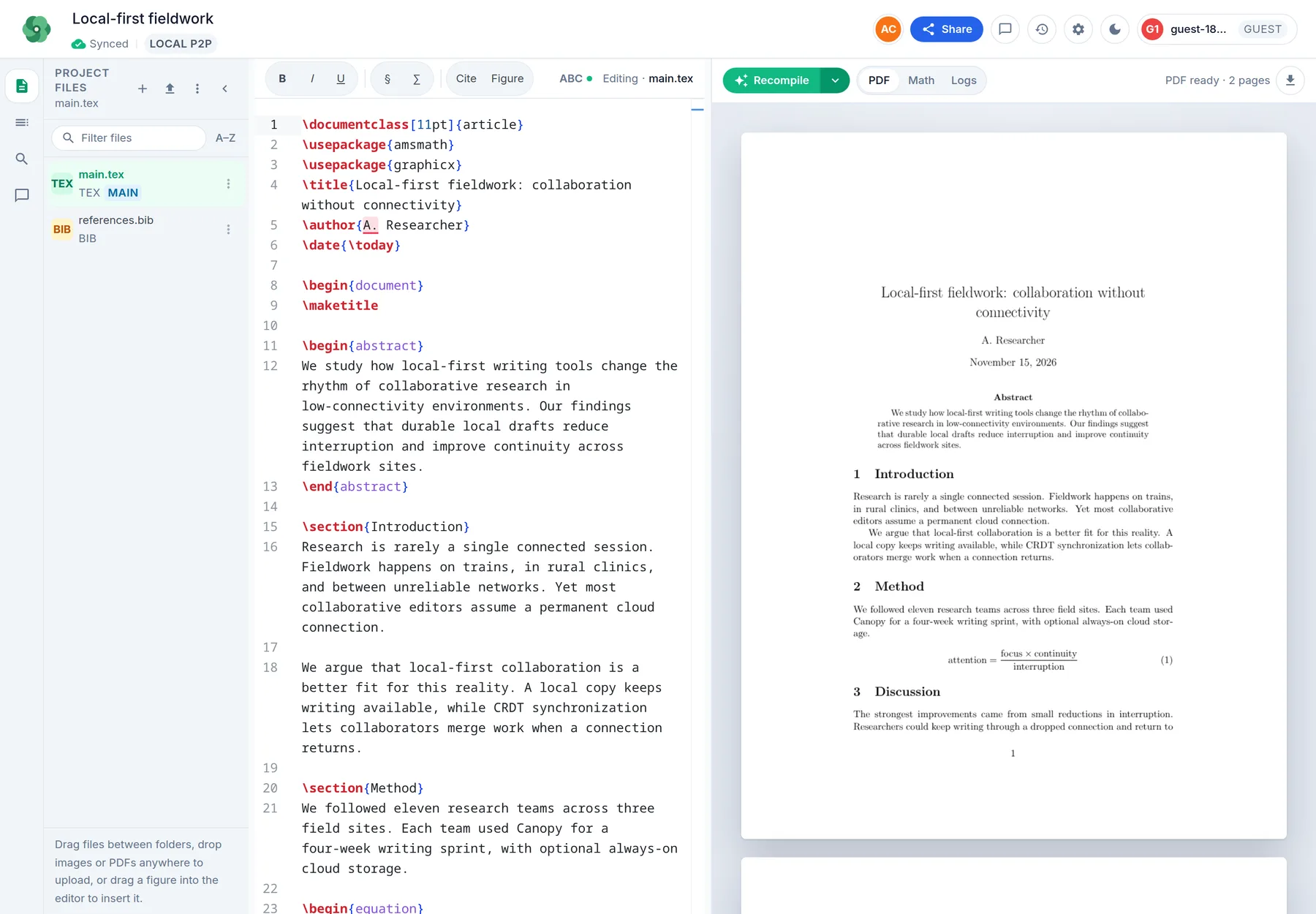
Write in a familiar Monaco editor and see the compiled PDF beside it. Switch between files, check the outline, or compile without leaving the page.
In the workspace
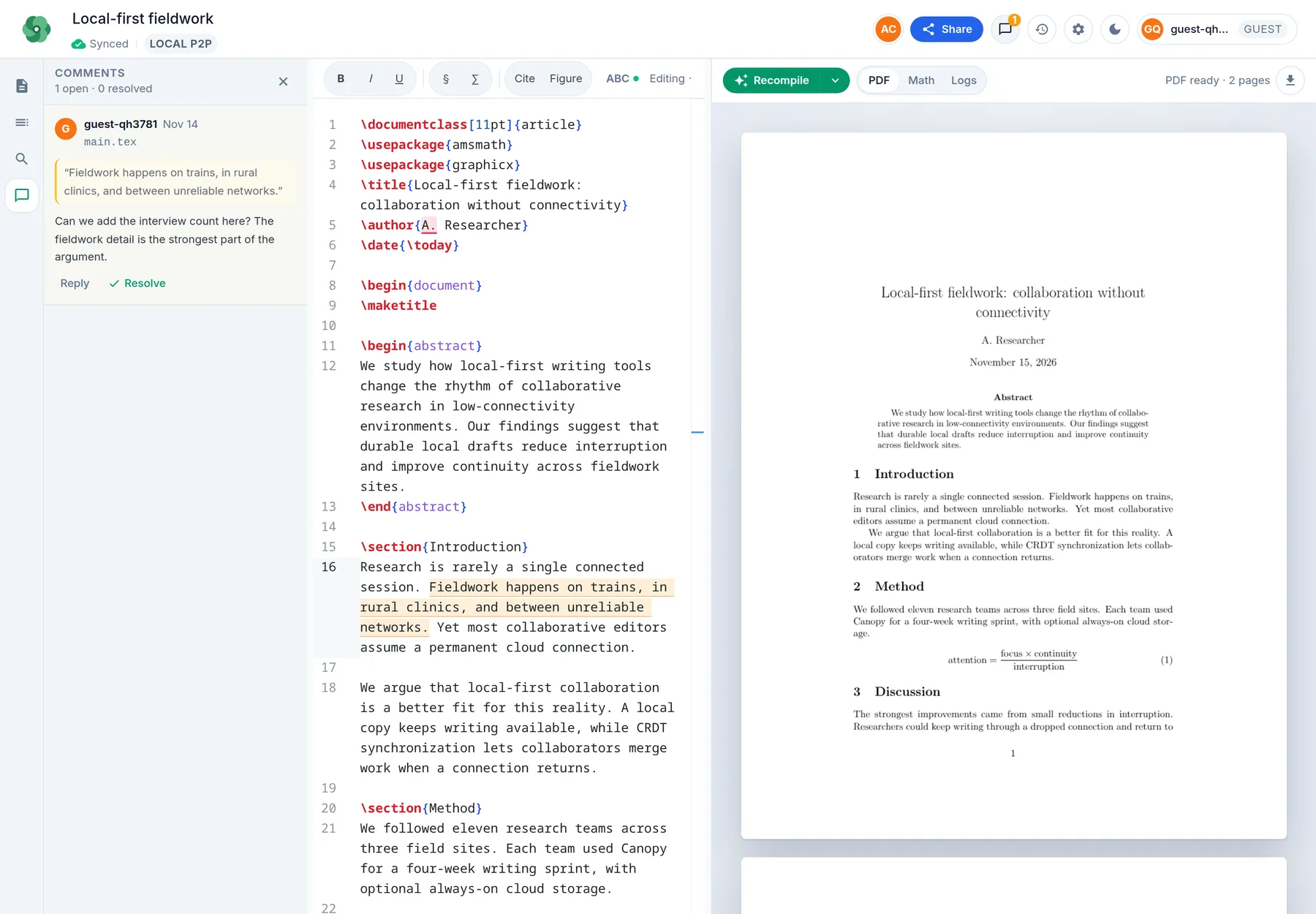
Select a phrase, leave a threaded comment, and let your co-author reply in context. Set View, Comment, or Edit access for each person.
In the workspace
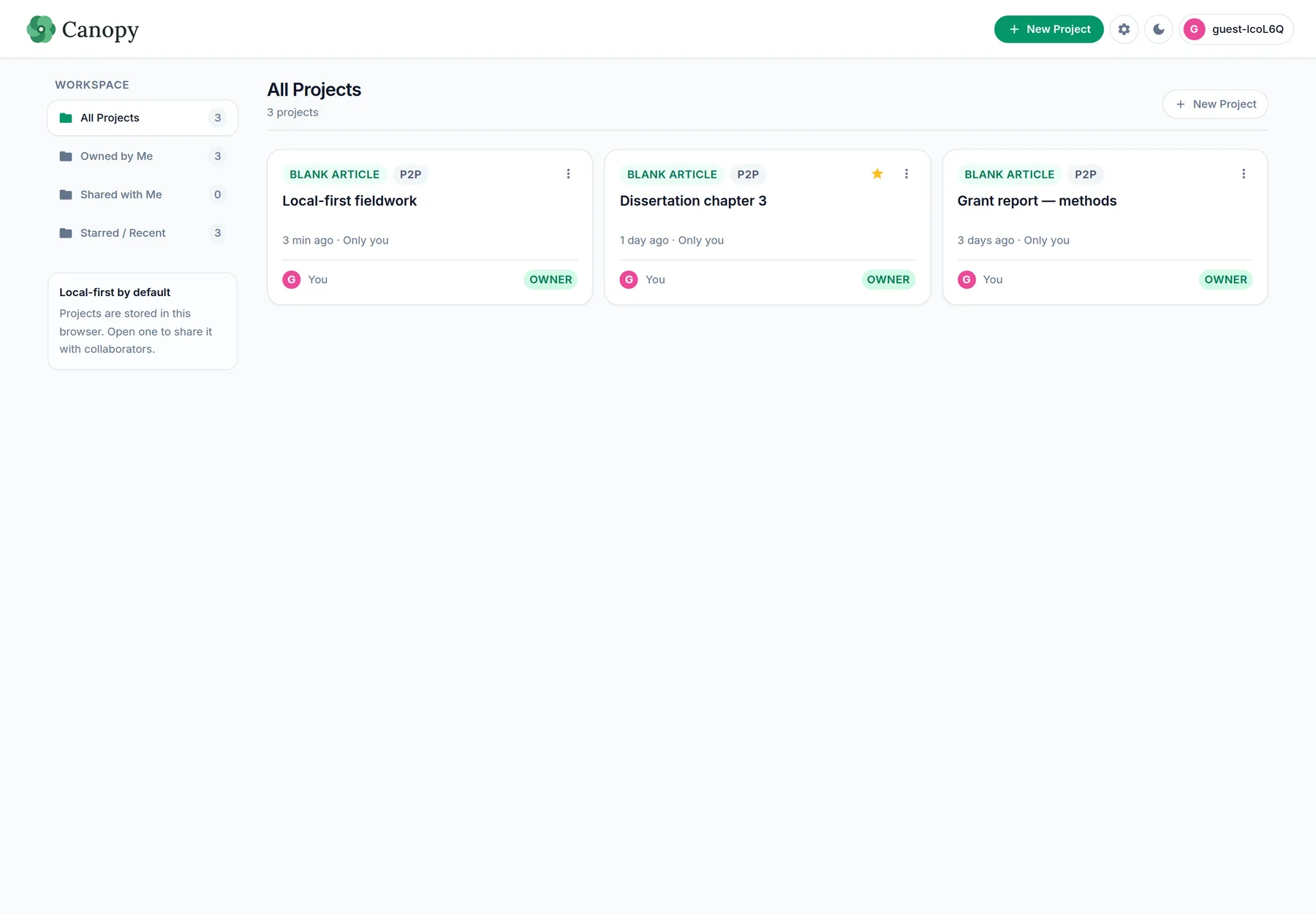
Canopy starts local-first and peer-to-peer. If your lab needs an always-on copy, add cloud storage without changing the writing experience.
Simple by design
No seat minimums, no mandatory cloud account, and no surprise lock-in. Choose the level of durability and support that fits your work.
Free
$0 / forever
For individual researchers and small collaborations.
Your browser stores the first copy.
Canopy Cloud
Academic pricing
Always-on multi-device sync and cloud compilation.
Contact us for a lab quote. No card required to try Free.
Institutional / Lab
Self-hosted
Run Canopy on your own servers and keep the keys.
Deploy on one VM, Docker, or your Kubernetes cluster.
Plain-language differences, not a spreadsheet of SKUs.
| Capability | Free | Canopy Cloud | Institutional |
|---|---|---|---|
| LaTeX + BibTeX editor | Included | Included | Included |
| Local PDF compilation | Included | Included | Included |
| Real-time P2P collaboration | Included | Included | Included |
| Offline editing + merge | Included | Included | Included |
| Always-on cloud storage | — | Included | Your infrastructure |
| Cloud compilation | — | Included | Your infrastructure |
| Data location | Your browser | Managed region | Your servers |
| Access controls | View / Comment / Edit | View / Comment / Edit | View / Comment / Edit + policy |
| Best for | Solo papers and small teams | Active multi-device labs | Departments with residency needs |
For university labs
Keep Canopy inside your institution’s network. Run the editor, Gun relay, and optional cloud snapshots yourself—on a single VM, in Docker, or on your existing Kubernetes cluster.
# One small server, your institution’s rules.
$ git clone <your-canopy-fork>
$ cp .env.example .env
$ pnpm install
$ pnpm build:server
$ pnpm --filter @canopy/server start

✓ editor     https://canopy.your-lab.edu
✓ gun relay  wss://canopy.your-lab.edu/gun
✓ data /data (your volume, your backups)Questions
If your question is about a specific lab setup, write to us. We read every message.
They need an identity, but Canopy never requires email or a central account for free P2P projects. A guest key can open a shared link; signed-in researchers get a stable public key and cross-device project discovery.
Canopy stores the document locally first. When another peer reconnects, both versions merge with Yjs; with Cloud, a durable snapshot is kept and refreshed when you come back online.
Project metadata in the Gun registry is encrypted with the researcher’s key pair. P2P document traffic is WebRTC. For cloud snapshots, the server stores the room state it is authorized to persist; self-hosting keeps that boundary on your infrastructure.
Yes. The institutional path is a normal static web build plus the Canopy Node server behind your own Caddy or reverse proxy, with your own storage volume and backup policy.
A calmer place to write
Open Canopy in your browser, invite a co-author, or talk to us about running it for your lab.